Kinectimals Inspiring Writing

This year was the forth time I have used Kinectimals with a class to inspire their writing. And this year staff in our unit said this was the best writing we have seen all year! So I thought I would share a few ways in which game play has inspired writing in my classroom.

Kinectimals

This slideshow requires JavaScript.

This an X Box game and it is also an app game available for iPad. You adopt a tiger or a bear on an island called ‘Lumeria’ and meet a character called Bumble who has been looking after the animals since the explorers left many years ago. It is an adventure game where you lead your animals through different tasks and challenges, find treasures and discover new parts of the island. It’s also a virtual pet style game so it is self paced and children can navigate the island themselves, moving around the place instead of moving forward in game play. Graphically it’s stunning, very beautiful and the story is captivating.

Continue reading

New Friendships

Over the years I have developed a network with fellow Apple Distinguished Educators that brings the world to our early years classrooms. I regularly receive positive feedback from parents who are amazed at the way their young ones connect with other early years children around the world by using iPads and Apple software.

Today, Tuesday 19th January, marked another one of those moments in my career where my classroom really does become an international hub for collaboration between early years settings and teachers.

It was such a pleasure to welcome Marie Neves and Flavia Nascimento from Recife, Brazil to Burton Joyce, Nottingham and my classroom.

IMG_2252-3.JPG

Continue reading

Teacher Authored Texts in Early Years

We want our early learners to become life long readers so promoting books and reading is what we try to do. To share a love of reading with the many different kinds of learners in our classroom can be challenging so making use of technology is one solution.

For the past few years my early years class have been writing books on our iPads using Book Creator. They’ve contributed to whole class books about their village, written fairy tales in pairs in Woodland Workshop and created their own independent maths journals. With our whole class and shared writing books I usually combine all of their content on iBooks Author on my MacBook. I then publish their project to the iBooks Store. Below is a gallery of the different book creating experiences we have had using iPad, iBooks Author and Book Creator.

This slideshow requires JavaScript.

It’s not often that I use iBooks Author to create texts for them to read on their iPads but this is starting to creep in to my practise so today I’d like to share an idea with you.

Continue reading

Story & Coding with Dash and Path.

Coding in the Early Years is something that I have been tinkering with since the new primary curriculum became statutory. I’ve planned unplugged computing strategies which support the later use of BeeBots and practised skills on a suite of iPad apps designed to apply this skill of coding.

IMG_4188

This year I’ve been lucky enough to get our hands on Dash robots that connect to our class iPads via Bluetooth. This robots have a suite of apps which progress from early control skills (like a remote controlled car) through to Scratch-like coding blocks that support the Year 6 objectives.

Continue reading

Apps For The Woodland Workshop.

This year we have been running Woodland Workshops for our Foundation children. They visit the nearby woodland for a morning session every fortnight. It’s a great opportunity to get outdoors, no matter the weather, to investigate seasonal changes and take a closer look at this environment.

There have been stacks of learning outside and I wanted to share one way in which technology enhanced outdoor learning. Yes, iPads, outside, away from school.

I’ve talked with teachers for many years about the advantages of mobile technology in the hands of our youngest learners. But taking devices outdoors  still seems like a big deal, yet it is very possible and brings great benefits. We use other tools outdoors so technology, when planned for carefully, also enhances play. Furthermore, there are many jobs out there which rely on the use of mobile technology and the outdoors. Take Network Rail for example, who maintain the railway with a workflow supported by a suite of custom made apps. See the story here.

Continue reading

Light and Dark Exploration with iPad Controlled Toys.

This term our learning has been investigating “what happens when the sun goes down”. One of the earliest observations is that it gets dark much earlier and the moon comes up. With this comes the need for light to see in the dark so out comes our tents, black bed sheets and den building. In our dark spaces we play with torches and light sources. In terms of technology learning in Early Years Outcomes, this play links to the switching on and off of light sources & looking at batteries.

We wanted to take this early technological learning a little deeper, and closer to a modern home. We made use of two different Bluetooth controlled devices in our dark spaces. This activity is all about controlling light sources as a connected device, getting a device to respond to instructions on an app.

Continue reading

Maily! e-mail that’s possible in early years.

This year the national Anti-Bullying Week in the UK challenged teachers to bring an e-safety focus to their classroom. As an early years teacher, talking about safety online is quite tricky and modelling good practise online has always been my focus. My class regular experience positive uses of the internet and our Connected Classes are an important part of our classroom life. As a class we make FaceTime calls to other early years children around the world, we share books that we have written on the iPads with them and we often help each other out with answering questions about our localities.

For Anti-Bullying Week though, I wanted to make these experiences more personal for the children. This is how I found Maily on the App Store.

Maily.

This is a free app and it is free to set up an account and to use the service. There are no adverts or in app purchases either. Maily is designed for the travelling or far reaching family though. It’s there for the kids to be able to send a special message to mum when she’s working away, or the grandparents that live in Spain.

FullSizeRender 17It’s perfect for early years though. Maily has very little reading involved, it’s all pictorial and within a couple of taps your children have opened their inbox, scrolled their contact lists to find a friend, wrote an e-mail and sent it. All within the app, inside one secure account.
Continue reading

An Early Years Shape Book about Bonfire Night

We are getting ready to teach the children how to make Maths Journals again this year, but before we hand children their own iPads, we need to model book creating in maths first. You can read more about Maths Journals here.

Bonfire Night is a British festival remembering The Gunpowder Plot from over 400 years ago. Guy Fawkes attempted to murder King James who would be in The Houses of Parliament on November 5th 1605 (I hope I have that date right?). Guy Fawkes obviously failed as The Houses of Parliament still stand today and every year on November 5th our children visit a bonfire and watch fireworks which depict what could have happened should Guy Fawkes have been successful.

This festival, like many others, lends itself well to cross-curricular learning. However, it also lends itself well to my connected classes project as our friends across Europe and America will not be celebrating Bonfire Night. Therefore it is a great opportunity to use technology to share this festival with them.

Continue reading

A Local Area Study with iPads in Early Years

Last half term our investigations were all around our local area. The outcomes of this project would focus on children talking about their home, community, school and their place in the world. As well as the regular practise involved in this kind of learning in the early years, technology enabled us to share this learning in a purposeful way.

First up in the project came International Dot Day which put a spot light on children from other parts of the world who shared the same interests as us. You can read more about International Dot Day here. It’s a great festival that shows children how they are connected to the rest of the world. This initiated conversations about our place in the world, where we live and what it is like here.

Continue reading

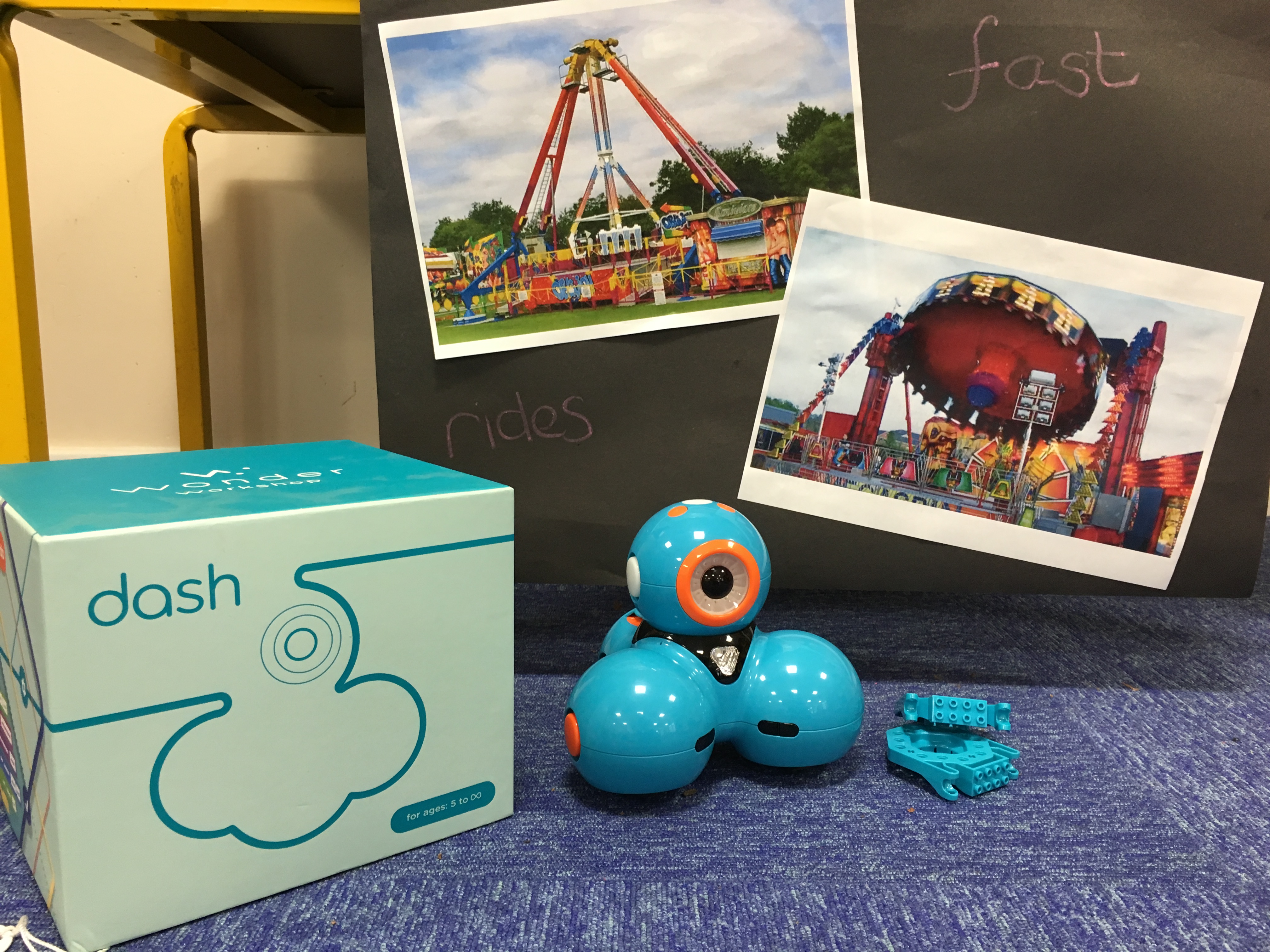
Designing and Controlling Bumper Cars with Dash Robots.

At the end of September a huge travelling fair arrives in our city, a 700 year old event which expands year on year. It’s the Goose Fair. There isn’t a school in our region that would ignore it and in true Early Years style, it’s a great opportunity to cash in on some great learning and play opportunities!

This year we are using Dash and Dot robots from MakeWonder as part of our coding curriculum. They fit perfectly in to a classroom with just a few iPads and bring coding to life as children control Dash and Dot from a suite of apps produced by MakeWonder.

The apps for Dash and Dot follow a clear progression in skills and with as this was our first experience coding and controlling, we started with the first app in the collection: “Go”.

Think remote controlled car… The app connects to Dash over Bluetooth and the user steers Dash from the iPad screen. There’s options to send sounds to Dash from the app and even record your own sounds to play over Dash’s speakers. The colours on Dash’s body can also be changed and flashed from the app. It’s that perfect app to teach children early control skills and introduce direction language.

What’s more, Dash and Dot come with ‘building brick connectors’ that can be attached to the sides and head of the robot allowing Lego to be built on to them.

IMG_1168IMG_1166IMG_1155

Continue reading