In the summer term we take our Foundation Unit to Sherwood Pines, a Forestry England site here in Nottinghamshire. As the name suggests, it’s a large woodland with tall pine trees and a great outdoor education team and facilities for all ages. During the day we did all of the outdoor education activities you could think of in a forest: mini beast hunts, woodland art (Andy Goldsworthy), story trails (The Gruffalo) and for the purpose of this blog post, photography.


Changing Spaces: Focus and simplify learning in continuous provision areas
I have decided to write another post about the wider curriculum and classroom organisation. Over the years I have posted a few times about my classroom spaces and provision as it adds a bit of flavour to the technology focus of my blog. It shows another side to my work.

I always look to Alistair Bryce-Clegg for inspiration, he is a one-stop-shop for all things early years. Not only does Alistair share great ways of working, his recommendations are well within the reach of all early years settings. They are cheap, sometimes free, and every time his ideas are effective! Alistair’s post Creating an Environment to Provoke Learning gave me the confidence and vision to go ahead and put all my energy in to redesigning our areas.
“As a class teacher, when it came to my environment less was definitely not more! In fact more was more with a bit more chucked in for good measure!” writes Alistair.
Connecting Classes across Continents: a collaborative book by two schools.
For the past 7 years our Executive Head Teacher has been the lead link between our schools here in Nottingham (Burton Joyce and Cropwell Bishop) and St. Francis Xavier school in Goa, India. For 2 weeks each year, Phil spends time at the school working with the staff and students of the schools. The project is funding by The British Council and supported by Nottingham Forest Football Club also.
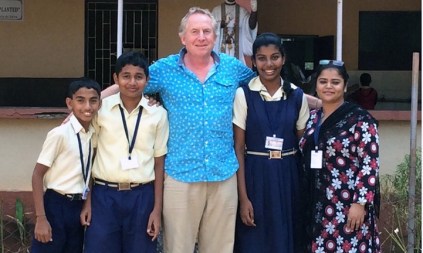
Last year, Phil’s visit supported the launch of our school blogs and kick started Skype Classroom projects. This year, he set out to make a multi-touch book on a single iPad and create a collaborative text about the two localities. My first attempt at creating a teacher authored textbook using iBooksAuthor came about at the Apple Distinguished Educator (ADE) institute in San Diego (2014), and with a group of Early Years ADEs we authored a book about Rancho Cuyamaca. I shared this project with Phil and it shaped our vision for this project.
Start Unplugged! Coding in Early Years.
This Spring Term I was invited to work with staff at Heymann School, Nottinghamshire, who were preparing for Science Technology project. My role was to share and support in ways their early years pupils could engage with coding and control skills.

I champion a place for unplugged computing in the curriculum as it secures language, vocabulary, children’s internal decision making, recording and visualising their own inner-computing.
To read more about computational thinking, coding and how it supports you to plan for The Characteristics of Effective Learning and thinking skills, you can also read this more recent post of mine.
“A Beginner’s Mindset”. My Reflections from the Apple Leadership Summit.
January saw the annual Apple Leadership Summit return to London and was attended by school leaders across Europe. Held at Kings Place alongside BETT in the same week, the event had a great buzz surrounding technology’s place in education, across all age groups and school types.
Primary schools were well represented this year, with guest speakers from the Stephen Perce Foundation and Flitch Green Academy. Apple Distinguished Educators gave spotlights, workshops and break-out sessions throughout the day, offering real examples of how iPad enhances the lessons and objectives that we all teach. Participation was key and workshops were practical.
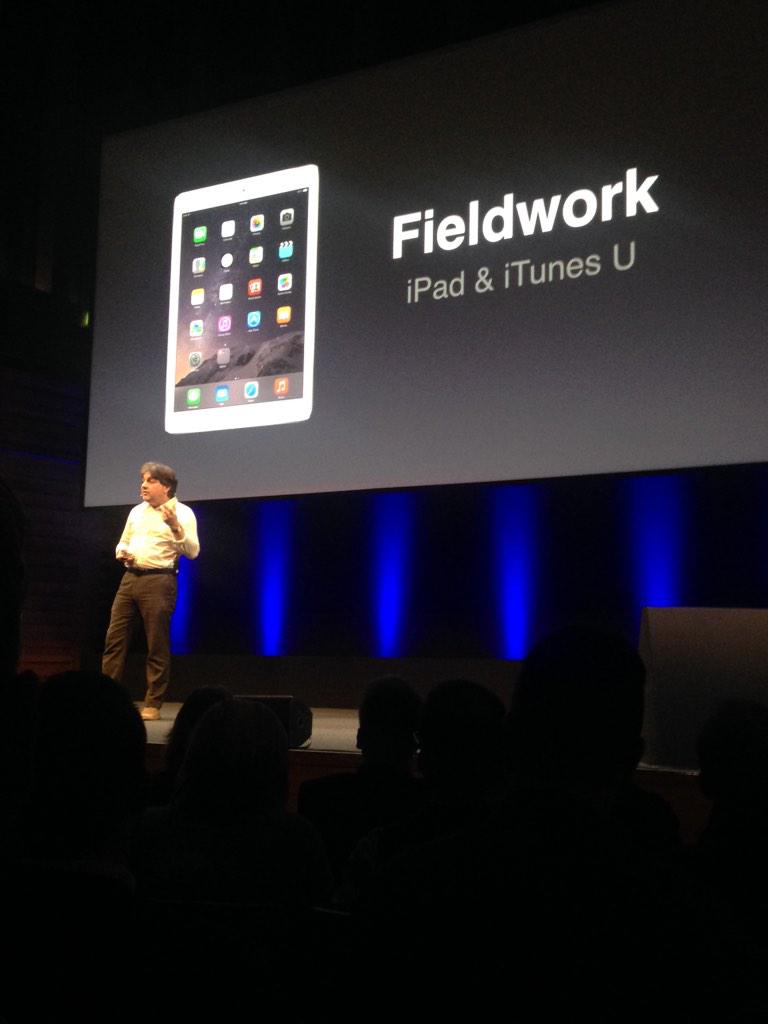
As well as teacher, Apple Distinguished Educator and school spotlights, the Summit included workshops and keynotes focusing on leading change, sharing vision and project management.
“Open Minds”

Enhancing Practical Maths with Math Journals and MyStory app.
I have been reading Kristi Meeuwse’s blog, iTeachWithiPads, for a while now and a recent post of hers on Maths Journals stood out for me. I am always asked about maths apps for iPads, but I have never considered myself a maths expert. What I usually see are maths games being played on the iPad, which can engage certain leaners but the level of enhancement is not as great as what I have seen with literacy and authoring apps. The work Kristi’s kindergartener’s engage with on iPad is the best example of maths enhancement with technology that I have seen.
What are Maths Journals?
We use MyStory book creating app to photograph practical maths activities and record our maths understanding with marks or voice on the pages of the book. This means that the practical activity is captured, making the experience more meaningful rather than disposable play that is packed away at tidy up time. The child can reflect further on their learning by recording their mathematical understanding using the built-in microphone or with physical marks on the page.

Introducing MakeyMakey to Early Years Children.
This week saw the arrival our MakeyMakey and the first time I got hands-on with the kit. Having followed the work of ADE Mark Shillitoe for 2 years, I thought it was about time I tried it out for myself. I ordered the MakeyMakey from Amazon, just over £40, and the kit comes complete with enough crocodile clips for simple projects. The instructions are clear, set up took about 5 minutes and we were up and running with a Banana Piano in a matter of minutes.
Wait a minute though, what is MakeyMakey?
MakeyMakey is an invention kit for everybody. It is a USB device that replaces keys on your keyboard. 
 Continue reading
Enhance Early Understanding of Shape with iPad and Animation Apps
Animating with iStopMotion
iStopMotion brings stop frame animation to early years for the first time. The app allows the children to see their last taken frame on top of the live view of the next image they need to take. This shows them where to place the object they are animating for the next shot. This feature is known as an onion skin. Here is an example of this feature from teachwithvideo.com.

At first glance, this app lends itself perfectly to story telling, language and literacy. This year though, I had an opportunity to enhance shape, space and measure with iStopMotion.
Apps to use – click the app names to take you to the AppStore
Free: iMotion – this app does not have an ‘onion skin’ feature.
Paid (lower price point ): iCanAnimate – this app does have ‘onion skin’ but does not record sound/voice of the animation
Paid (higher price point): iStopMotion – this app has both ‘onion skin’ and sound/voice record.
Enhance Early Understanding of Shape with iPad and Padlet
Shape Hunting around School.
This adult led activity happens in so many foundation classes, and I have led shape walks many times. During these walks, we carry a bag of plastic shapes, and we match the plastic pieces to real objects. This happens for 2D and 3D shapes. The children might even mark off on a clipboard the shapes they spotted, like bingo, or draw pictures of the shapes they have seen. By the end of the walk, they have all recorded the same shapes in the same places. I wanted to enhance this experience, to make it more collaborative. To do this I used Padlet.

 Enabling Environments