MakerSpaces: Foundation Stage Best Practice in Key Stage 2

What is a MakerSpace.
Screen Shot 2016-07-12 at 12.27.03.png

I was interested in MakerSpaces because of their strong links to Foundation Stage best practise. It’s a place in school where children use sets of resources to work on projects related to Science, Technology, Engineering and Mathematic skills. Children design on their own projects or respond to challenges. I wanted to see how best practises and resources from Foundation can be extended to support learning further up school. For the Year 4 teachers, they wanted to see how our new range of iPad compatible robots can be used in their coding curriculum.

6

For this MakerSpace I was joined by Jason Milner. Jason is an Apple Distinguished Educator (ADE) from Sydney, Australia. Throughout July he visited other ADE schools across Europe and today we collaborated on this project at my school. Jason wanted to gain experience using iPad compatible robots and also observe the impact that wrapping code around the curriculum may improve the way in which children apply mathematic skills.

Continue reading

TeachMeet Midlands: 7th July 2016

TeachMeet Midlands

Reserve Your Tickets Here.

 Learn something new, be amazed, amused and enthused. This is an informal gathering of those curious about teaching and learning. Anyone can share great ideas they’ve trialled in their classrooms, ask important questions or simply sign up to take part in learning conversations. Education professionals from all sectors are welcome to take part.

The main part of TeachMeet is hearing stories about learning, from teachers. This is not an event to present about a product or theory – this is a chance for teachers from all types of establishments to hear ideas from each other. Real narratives of practice that make a difference. It is about being engaged and inspired by our immediate colleagues and a whole bucket load of networking to boot!

Continue reading

Apps For The Woodland Workshop.

This year we have been running Woodland Workshops for our Foundation children. They visit the nearby woodland for a morning session every fortnight. It’s a great opportunity to get outdoors, no matter the weather, to investigate seasonal changes and take a closer look at this environment.

There have been stacks of learning outside and I wanted to share one way in which technology enhanced outdoor learning. Yes, iPads, outside, away from school.

I’ve talked with teachers for many years about the advantages of mobile technology in the hands of our youngest learners. But taking devices outdoors  still seems like a big deal, yet it is very possible and brings great benefits. We use other tools outdoors so technology, when planned for carefully, also enhances play. Furthermore, there are many jobs out there which rely on the use of mobile technology and the outdoors. Take Network Rail for example, who maintain the railway with a workflow supported by a suite of custom made apps. See the story here.

Continue reading

Light and Dark Exploration with iPad Controlled Toys.

This term our learning has been investigating “what happens when the sun goes down”. One of the earliest observations is that it gets dark much earlier and the moon comes up. With this comes the need for light to see in the dark so out comes our tents, black bed sheets and den building. In our dark spaces we play with torches and light sources. In terms of technology learning in Early Years Outcomes, this play links to the switching on and off of light sources & looking at batteries.

We wanted to take this early technological learning a little deeper, and closer to a modern home. We made use of two different Bluetooth controlled devices in our dark spaces. This activity is all about controlling light sources as a connected device, getting a device to respond to instructions on an app.

Continue reading

Maily! e-mail that’s possible in early years.

This year the national Anti-Bullying Week in the UK challenged teachers to bring an e-safety focus to their classroom. As an early years teacher, talking about safety online is quite tricky and modelling good practise online has always been my focus. My class regular experience positive uses of the internet and our Connected Classes are an important part of our classroom life. As a class we make FaceTime calls to other early years children around the world, we share books that we have written on the iPads with them and we often help each other out with answering questions about our localities.

For Anti-Bullying Week though, I wanted to make these experiences more personal for the children. This is how I found Maily on the App Store.

Maily.

This is a free app and it is free to set up an account and to use the service. There are no adverts or in app purchases either. Maily is designed for the travelling or far reaching family though. It’s there for the kids to be able to send a special message to mum when she’s working away, or the grandparents that live in Spain.

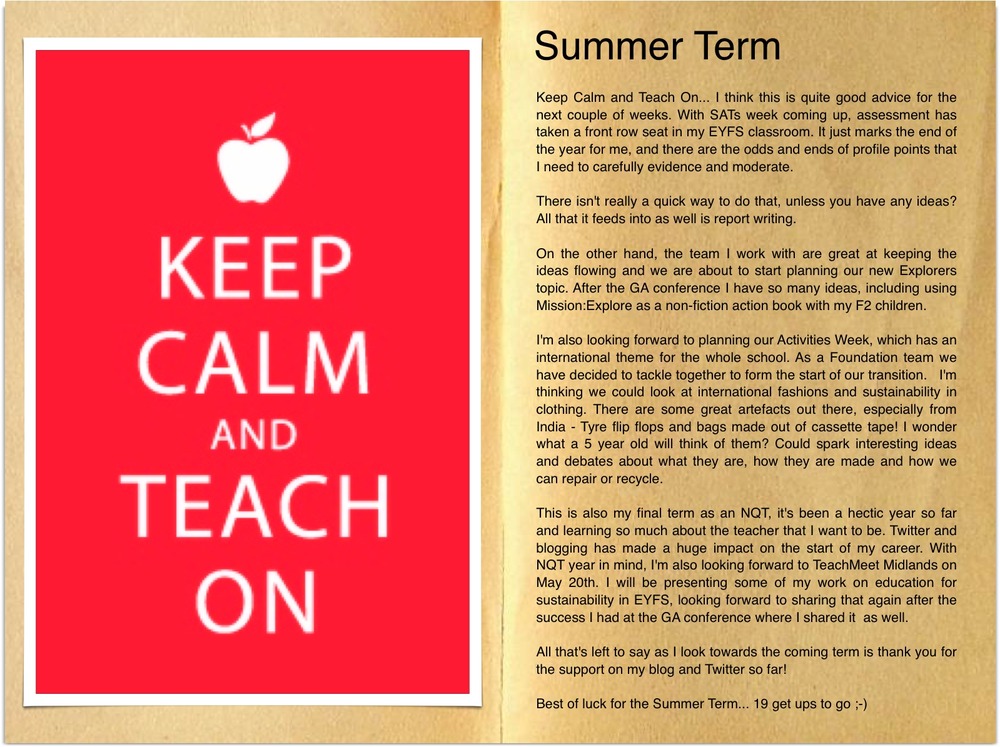
FullSizeRender 17It’s perfect for early years though. Maily has very little reading involved, it’s all pictorial and within a couple of taps your children have opened their inbox, scrolled their contact lists to find a friend, wrote an e-mail and sent it. All within the app, inside one secure account.
Continue reading

Announcing: Apple Regional Training Centre, Nottingham

This is an exciting post for me to write as it marks the end of a long road of planning and preparations to bring a new Apple Regional Training Centre to Nottingham, but also the start of a new opportunity to further support schools and teachers in Nottingham through this free service.

Continue reading

Underwater Adventures – apps for an early years sea and ocean topic.

Over the summer it’s time for us teachers to prepare for our new class and the year ahead. Over the next few weeks I’m going to put spotlights on particular topics or themes, highlighting some apps which can support learning. This August the AppStore team have selected the best interactive stories, games and knowledge apps for a collection called ‘Underwater Adventures’. Their collections are always interesting and pick out great apps to use for lessons in the classroom. Take a look at this featured collection here.

Screen Shot 2015-08-09 at 18.22.46

I’ve taken a quick walk through this latest collection and picked out a few apps which look like good fun for early years and ones which can develop knowledge and understanding in this topic.

Continue reading

Three iPad accessories to streamline your mobile life

Background.

With the expected launch of the iPad 3 coming soon, I have started to think about how my relationship with iPad has moved from “why?” to “how” in the space of 14 months. Even though I’ve had an iPod for many many years, my first being the iPod mini and replaced the model several times, when the iPad launched I was underwhelmed and switched off to it’s purpose. As regular visitors to my blog will know, my school purchased iPads for classrooms about 12 months ago. Each classroom was given an iPad 1, and so I started to look at what I can use the resource for. As I started using the iPad as an educational tool, I very quickly fell in love with it. This meant that I started using it for other purposes too; surfing the web, research, Keynote presentations, word processing, emailing… and my laptop spent more and more time tucked away in it’s beautiful Paul Smith ‘Mini on Location’ laptop sleeve (which I am yet to find for my iPad!) As soon as iPad 2 arrived, just a few months after school purchased iPad 1, I forked out the cash and invested in the new model.

… I’ve just scrolled up and realised how much I’ve talked, I think it’s time to get to the point…

So I’ve been using my iPad 2 for a year now and it comes everywhere with me. To conferences, to staff meetings, to presentations. But it hasn’t been an easy ride, I’ve had to find ways to overcome some of my problems. Problem 1: Importing photographs/videos from PC Wow syncing photographs and videos can be tricky on iTunes, and working with staff at school to help them can be even trickier.

Continue reading